DayCal
Introduction
a prototype connected calendar for people living with Dementia
Many people with Dementia struggle to remember appointments. And many people living in the community may have a number of different care-providers visiting including nurses, family and friends. Could connected calendars help orient people within their day? Could they be built from end-of-life components?
Daycal is an attempt at creating an Internet-connected calendar that provides simple, up-to-date information for people with dementia. This would mean if an appointment time changed the person with dementia could be informed of the latest, most correct, information. It is currently a prototype built out of a tablet and a custom built housing. This page serves to document the design of Daycal. It was designed and built as part of a summer scholarship with the Florence Project at the University of Queensland in 2018/2019.
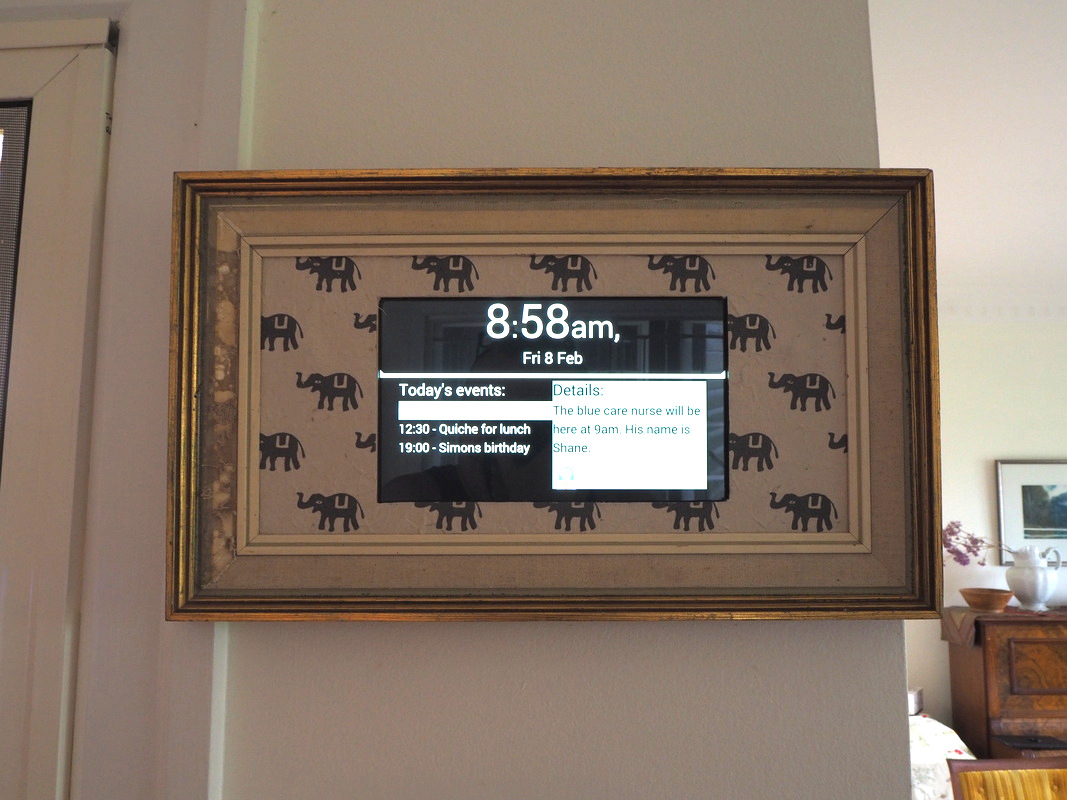
Figure 1: A photo of the prototype in situ
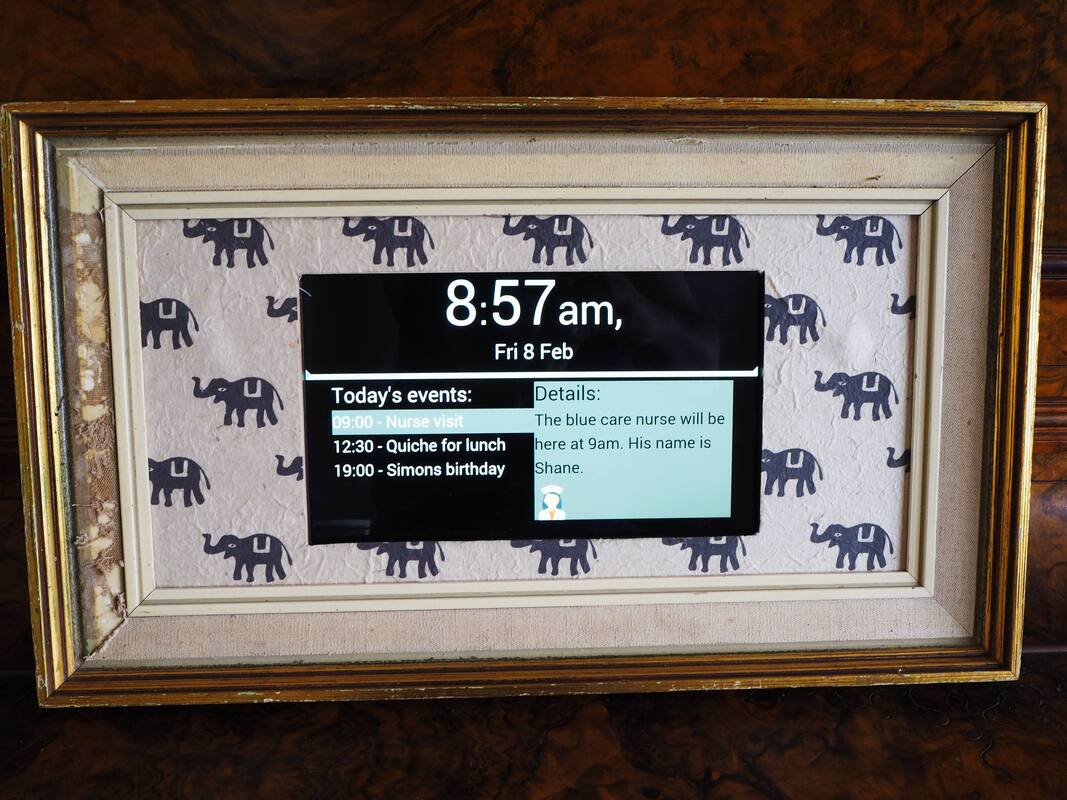
Figure 2: A photo of the prototype
The Process
Let's call my family friend Sam. Sam watched TV a lot and before the project I began to wonder if a calendar on the TV would help her. Perhaps something she could switch to when needed which would list upcoming events. If it was connected to the Internet the most up-to-date information could be displayed. I began to consider what hardware it would use when I came across the Florence project's website and call for summer scholarship projects.
The researchers with the project had been thinking about a "connected calendar" too and wanted a summer scholar to investigate this.
Originally I kept to the idea of using a small computer single-board computer (SBC) plugged into the TV to host the calendar. I began mocking up designs and researching free/libre and open source calendar software I could base it on. One problem stayed though: how to enable and disable the calendar in an intuitive way without getting Sam "stuck" in the calendar view on her TV.
My favourite solution was to use a timer. Starting the timer would send the switch input command to the TV via infrared. This would switch the input on the TV to the display input connected to the SBC hosting the calendar. When the timer was up the system would send the command to switch back to regular TV. Still, it would be easy for the system to get out of sync if something interrupted the commands being sent.
This lead to a design pivot. Instead of using a TV and a SBC I would use a tablet mounted in a frame. The table would be opened to the website hosting the calendar and it would ambiently and constantly display upcoming events. With the help of Dr Pete Worthy I began to laser-cut a prototype.
I think it was Pete who later suggested I consider using a old picture frame instead. This lead me to a trip to a secondhand store Reverse Garbage. It was there I found an old picture frame that looked perfect.
The Housing
Because the inner void of the frame was too large for the tablet a piece of wood was laser-cut to the frontal dimensions of the tablet. At the same time a mounting system was laser-cut using a cross-piece and screws. This allowed the tablet to be inserted and locked into place. It meant the tablet can be housed in the frame and removed without harm.
The front-facing laser cut wood was then covered in double-sided sticky plastic and appropriately-themed patterned paper was placed on top.
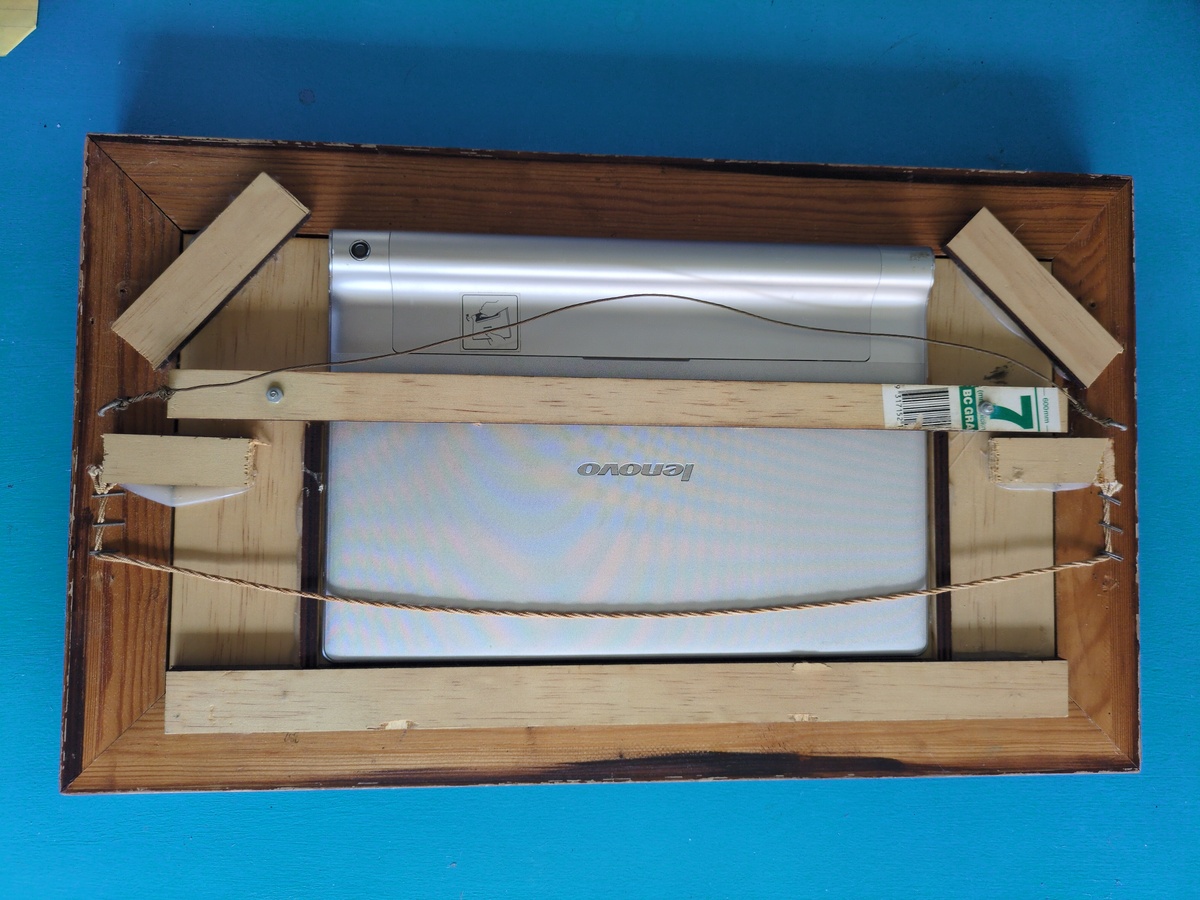
Figure 3: The rear of the housing
The Backend
The system was built using front-end web technologies communicating to a PHP-powered backend. Unfortunately events needed to be entered in manually and a calendaring standard like CalDAV was not used. The choice of a custom backend was made because I wanted to include icons in the event reminders.
The Design of the Main Face
The design of the front face went through many designs before getting to this stage. And it still has limitations - like poor contrast of colours.
Potential faces
During the design phase many potential "faces" for the calendar were created. Most were deemed to be too abstract, like this potential face:

Figure 4: A potential face for DayCal
What we settled on in the end was to show a list of events for today in order and to show only the next four events. Each event has an optional short description of that event and an optional icon to go along with it.
Acknowledgements
Thanks to the team with the Florence Project. Especially to Professor Janet Wiles, Dr Pete Worthy, and Dr Jacki Liddle. Thanks to the other scholars.